Sunday, October 20, 2013
Digital Storytelling: Social Constructivism
Below you will find my video created on iMovie. My fifth graders were having difficulty truly understanding what "vital capacity" means and were bringing different ideas to the table. To help better understand this, the students participated in an experiment measuring lung volume and vital capacity. We used lung volume bags to measure a student's vital capacity for the shortest, medium height, and tallest individuals in the class. The three participants followed directions to take maximum inhalation and then exhale in one, long continuous breath into the lung volume bag. Students found after watching and participating in this experiment and collaborating with one another that a person's height does in fact effect vital capacity. The kids learned that the taller the individual, the greater his or her vital capacity. Enjoy...!

Saturday, September 21, 2013
Teaching for Understanding: Identifying Misconceptions
It was quite an eye opener doing this interview with a fifth grade student of mine. She was a great sport, and a bit nervous while I was asking her questions. I was able to identify various misconceptions in her understanding that I will address in my own teaching. Enjoy listening to the podcast when you click on the box below.
Tuesday, April 30, 2013
Professional Learning Plan
As I ponder what it means to be a lifelong learner, many different ideas come to mind. However, one in particular involves exactly what I am doing...continuing my education to better myself, my students, and my instruction. I am always trying to instill the belief in my students that learning is a lifelong, never-ending process and I truly believe in the common saying, "You learn something new every day." I am constantly learning from my own students, colleagues, family, and friends. The technology courses I have taken have opened my eyes to the various technology tools and resources that we have at our fingertips and the importance of taking advantage of these tools in order to enhance student learning.
One of my greatest challenges this year has been the lack of student motivation in my classroom. I can honestly say that the various lessons I have learned incorporating the elements of TPACK have helped my fifth graders become more engaged in their learning throughout the course of the year. Implementing technology in my classroom is something I value as an educator and realize now more than ever, there are ways to do so more effectively to boost student motivation and understanding. I plan on developing a classroom blog to keep students and parents informed. A goal of mine is to create and incorporate more WebQuests into curricular areas...my students loved the WebQuest I created on traveling through space and learned great information while participating in the quest. I plan on continuing to use VoiceThread as a means to share their reading and writing online. I feel I have grown as an educator and accomplished many of my goals already, however, I have many more goals in mind thanks to CEP 810, 811, and especially 812.
When I think about tackling Wicked Problems in my classroom and at my school, the thought is overwhelming yet exciting. The benefits of being able to solve a Wicked Problem far outweigh the challenges to get to that point. I am hoping to continue to collaborate with my teaching partners on this and tackle the issue of lack of parent communication in our building. Another Wicked Problem I hope to work out is issues within our math curriculum and students struggling because they do not understand the basic math facts. These are just a couple out of the many struggles teachers deal with on a daily basis.
I am thrilled to officially be a member of the MAET program and look forward to continuing my education in teaching and implementing technology in my classroom. I already have all of my courses lined up and am proud of myself for sticking with it and doing the best I can! I am so grateful to have the support of my friends and family. It is amazing how much they support me in everything I do, and continuing on to get my Masters in Educational Technology is no exception. As long as my daughter continues to take naps during the day (when I complete much of my course work) I will be good to go!
I feel fortunate to be able to learn so many valuable lessons through these technology courses, which I then am able to apply in my own classroom and also teach my colleagues; creating blogs, podcasts, data visualizations, imovies, PowerPoint presentations, WebQuests, etc...I look forward to continuing to learn and collaborate with my classmates, knowledgeable instructors and our incredible world of technology, which changes each and every day.
Enjoy my Prezi below that shows my Professional Learning Plan!
One of my greatest challenges this year has been the lack of student motivation in my classroom. I can honestly say that the various lessons I have learned incorporating the elements of TPACK have helped my fifth graders become more engaged in their learning throughout the course of the year. Implementing technology in my classroom is something I value as an educator and realize now more than ever, there are ways to do so more effectively to boost student motivation and understanding. I plan on developing a classroom blog to keep students and parents informed. A goal of mine is to create and incorporate more WebQuests into curricular areas...my students loved the WebQuest I created on traveling through space and learned great information while participating in the quest. I plan on continuing to use VoiceThread as a means to share their reading and writing online. I feel I have grown as an educator and accomplished many of my goals already, however, I have many more goals in mind thanks to CEP 810, 811, and especially 812.
When I think about tackling Wicked Problems in my classroom and at my school, the thought is overwhelming yet exciting. The benefits of being able to solve a Wicked Problem far outweigh the challenges to get to that point. I am hoping to continue to collaborate with my teaching partners on this and tackle the issue of lack of parent communication in our building. Another Wicked Problem I hope to work out is issues within our math curriculum and students struggling because they do not understand the basic math facts. These are just a couple out of the many struggles teachers deal with on a daily basis.
I am thrilled to officially be a member of the MAET program and look forward to continuing my education in teaching and implementing technology in my classroom. I already have all of my courses lined up and am proud of myself for sticking with it and doing the best I can! I am so grateful to have the support of my friends and family. It is amazing how much they support me in everything I do, and continuing on to get my Masters in Educational Technology is no exception. As long as my daughter continues to take naps during the day (when I complete much of my course work) I will be good to go!
I feel fortunate to be able to learn so many valuable lessons through these technology courses, which I then am able to apply in my own classroom and also teach my colleagues; creating blogs, podcasts, data visualizations, imovies, PowerPoint presentations, WebQuests, etc...I look forward to continuing to learn and collaborate with my classmates, knowledgeable instructors and our incredible world of technology, which changes each and every day.
Enjoy my Prezi below that shows my Professional Learning Plan!
Sunday, April 28, 2013
Wicked Problem...Reflection
As I mentioned in my previous post, I have created a survey for my fifth graders to take regarding the Wicked Problem project...PowerPoint presentations to create nonfiction book reports. Take a look at some of the questions I asked...can't wait to see the results! I created the survey using Urtak because I love how user friendly it is, and it is a quick and easy way for my students to be able to communicate their feelings regarding the PowerPoint presentations using a "yes" or "no" format.
Use of Technology for Nonfiction Reports
To me, this is what my Wicked Problem was all about; being able to seamlessly blend all the aspects of TPACK in a way that challenged my students to use technology in order to enhance our Language Arts and Science curriculum. As a refresher, click on the following link and you will be reminded just what my Wicked Problem originally looked like: Wicked Problem Part A. After discussing with colleagues and revising a couple of areas, I then created a Podcast with a visual of just how I was planning on implementing this project and "helping solve" this Wicked Problem. This is truly a design where all parts of TPACK come together as one. Click on the following link to view my podcast: Wicked Problem Part B. I then went ahead and implemented this project in my classroom and the following link explains just how this implementation was done: Wicked Problem Part C.
Lastly, I will reflect on how everything has come together and my feelings of personal success, as well as student success. I feel that with every Wicked Problem comes a need of a technology resource in order to help "fix" this problem. However, technology cannot be the only resource that alleviates some of the issues, the teacher must think critically and realistically about what Wicked Problems are a priority and I feel collaboration is very important. I discussed student needs with my teaching partners and although there are many, we all felt a need to boost our student nonfiction strategies, understanding, and engagement. I proposed the idea of rather than having our students write book reports, instead they use technology for these projects and create their own PowerPoint presentations. They were thrilled with this idea, as was I, and I was even more excited to tell my students about their new assignment. After introducing their next assignment by modeling a PowerPoint presentation that I created on Saturn, I told the students that this is what they would be doing for their next nonfiction book report and they actually cheered!! What a great feeling as a teacher to have a student applause after introducing a new assignment. I knew at that moment they were excited about these projects and the interest alone, would keep them more engaged than usual.
The project did get implemented as I had originally planned and I felt that introducing the project by "showing" the students a PowerPoint of my own rather than "telling" them what they would be doing, would be a great way to captivate their attention and that is exactly what it did. I also feel it was important to give my students "choices" throughout this project. I let them choose if they wanted to work alone, with a partner, or in a group depending on the Solar System topic they chose to research. I also let them choose what topic they were most interested in, and feel that option is very important in this lesson so the students are more motivated because they are intrigued about their research topic. However, I will limit the topic choices next time to just the list I give my students, not letting them make up or add any extras. That became a bit of an issue when it came to grading information on planets using the rubric I created, when some students chose to research "supernovas" or "constellations," not just planets. I feel the fifth graders did an outstanding job learning how to create PowerPoints and applying each piece I modeled step by step from formatting their slides to adding pictures with captions, to incorporating slide transitions and sound. I am truly proud of their hard work and dedication throughout this project. The PowerPoint presentation was worth fifty points total, and the majority of my students received an A, which this year, and with this particular group of unmotivated students, is not usually the case. Needless to say, I am very pleased!
After taking a look at some of the questions asked, here is the link to my survey results https://urtak.com/u/82485/questions/118143. I am pleased by how my students responded on this survey and know that by reviewing these results, the project was a success! Due to previous classroom conversations after the kids presented their work, I knew that they enjoyed this project and were much more engaged than with usual book reports. Being able to see the survey results visually really allowed me to see that the kids appreciated being able to use technology in a way that enhanced the work they were doing. I honestly am pleasantly surprised that there were zero "no" answers after forty five responses, but it makes me feel like the plan worked better than anticipated.
In the process of learning about "Wicked Problems" and viewing other classmate's problems, I have realized that these problems can range from simple to very complex, these issues can effect just one classroom or the whole school building, but all must be solved using the TPACK model and using it effectively. I cannot expect my fifth graders to know how to research using the Internet if they have never actually been taught before. I also cannot expect my students to know that not everything out there is true and factual, and it is a process to teach kids these lessons. Solving a "Wicked Problem" takes time and energy...more so than one may realize. As I said before, it is important and very helpful to collaborate with others, when deciding what problem to solve first. As with any issue that arises, there is not just one right answer and it may be a trial process, but eventually and with the help of others, it can be solved!
I have two more Wicked Problems in mind that I intend to tackle in the future (hopefully sooner than later)! One is the unfortunate fact that our students are struggling with our math curriculum because they do not have the basic math facts down. I believe we need to adopt an online program that kids can do throughout the school year AND summer in order to practice these basic skills. An ongoing problem we have is also parent support and communication. I think having a blog just to communicate with parents might help with this, or as I was researching this problem, I came across the following clip on youtube regarding student, parent, and teacher communication via texting. Check out the clip yourself and maybe this could be a solution for you as well! These are just two that I have been thinking about as we started learning about Wicked Problems in CEP812.
Thank you for reading and good luck to those of you as you begin the process of solving your own "Wicked Problems."
Use of Technology for Nonfiction Reports
To me, this is what my Wicked Problem was all about; being able to seamlessly blend all the aspects of TPACK in a way that challenged my students to use technology in order to enhance our Language Arts and Science curriculum. As a refresher, click on the following link and you will be reminded just what my Wicked Problem originally looked like: Wicked Problem Part A. After discussing with colleagues and revising a couple of areas, I then created a Podcast with a visual of just how I was planning on implementing this project and "helping solve" this Wicked Problem. This is truly a design where all parts of TPACK come together as one. Click on the following link to view my podcast: Wicked Problem Part B. I then went ahead and implemented this project in my classroom and the following link explains just how this implementation was done: Wicked Problem Part C.
Lastly, I will reflect on how everything has come together and my feelings of personal success, as well as student success. I feel that with every Wicked Problem comes a need of a technology resource in order to help "fix" this problem. However, technology cannot be the only resource that alleviates some of the issues, the teacher must think critically and realistically about what Wicked Problems are a priority and I feel collaboration is very important. I discussed student needs with my teaching partners and although there are many, we all felt a need to boost our student nonfiction strategies, understanding, and engagement. I proposed the idea of rather than having our students write book reports, instead they use technology for these projects and create their own PowerPoint presentations. They were thrilled with this idea, as was I, and I was even more excited to tell my students about their new assignment. After introducing their next assignment by modeling a PowerPoint presentation that I created on Saturn, I told the students that this is what they would be doing for their next nonfiction book report and they actually cheered!! What a great feeling as a teacher to have a student applause after introducing a new assignment. I knew at that moment they were excited about these projects and the interest alone, would keep them more engaged than usual.
The project did get implemented as I had originally planned and I felt that introducing the project by "showing" the students a PowerPoint of my own rather than "telling" them what they would be doing, would be a great way to captivate their attention and that is exactly what it did. I also feel it was important to give my students "choices" throughout this project. I let them choose if they wanted to work alone, with a partner, or in a group depending on the Solar System topic they chose to research. I also let them choose what topic they were most interested in, and feel that option is very important in this lesson so the students are more motivated because they are intrigued about their research topic. However, I will limit the topic choices next time to just the list I give my students, not letting them make up or add any extras. That became a bit of an issue when it came to grading information on planets using the rubric I created, when some students chose to research "supernovas" or "constellations," not just planets. I feel the fifth graders did an outstanding job learning how to create PowerPoints and applying each piece I modeled step by step from formatting their slides to adding pictures with captions, to incorporating slide transitions and sound. I am truly proud of their hard work and dedication throughout this project. The PowerPoint presentation was worth fifty points total, and the majority of my students received an A, which this year, and with this particular group of unmotivated students, is not usually the case. Needless to say, I am very pleased!

After taking a look at some of the questions asked, here is the link to my survey results https://urtak.com/u/82485/questions/118143. I am pleased by how my students responded on this survey and know that by reviewing these results, the project was a success! Due to previous classroom conversations after the kids presented their work, I knew that they enjoyed this project and were much more engaged than with usual book reports. Being able to see the survey results visually really allowed me to see that the kids appreciated being able to use technology in a way that enhanced the work they were doing. I honestly am pleasantly surprised that there were zero "no" answers after forty five responses, but it makes me feel like the plan worked better than anticipated.
In the process of learning about "Wicked Problems" and viewing other classmate's problems, I have realized that these problems can range from simple to very complex, these issues can effect just one classroom or the whole school building, but all must be solved using the TPACK model and using it effectively. I cannot expect my fifth graders to know how to research using the Internet if they have never actually been taught before. I also cannot expect my students to know that not everything out there is true and factual, and it is a process to teach kids these lessons. Solving a "Wicked Problem" takes time and energy...more so than one may realize. As I said before, it is important and very helpful to collaborate with others, when deciding what problem to solve first. As with any issue that arises, there is not just one right answer and it may be a trial process, but eventually and with the help of others, it can be solved!
Sunday, April 21, 2013
Wicked Problem Part C...Implementation
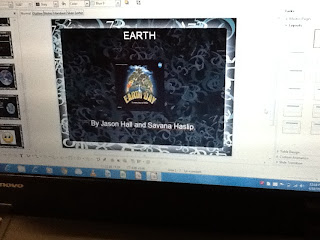
There is a whole process that goes into implementing a project like this, and I am thrilled to say it was a success for me as a teacher and my students! You can view the presentation below on slideshare of just how I went about implementing this project. As a reminder, my Wicked Problem focuses on how there needed to be a shift in thinking when it comes to book reports on informational topics. Many times the word "boring" comes to mind and is what I hear from my students. Rather than having my fifth graders put written reports together, I wanted to implement technology and have them create PowerPoint presentations individually or with others (their choice) on an informational topic, such as objects in our solar system.
The comic below is just a little something I created on www.pixton.com. You should check this site out...what a great way for kids to have fun with storytelling! I am definitely going to use this in the classroom. Make sure to view it in full screen (click on the far bottom right) in order to see the full comic!
I am overwhelmingly pleased with the dedication to research, creativity, and technology that was displayed in each of my student's work. I would have to say my greatest surprise was how incredibly engaged and taken the kids were with this project the WHOLE time. I have a tough group this year and it's often difficult for them to remain focused, but they had no problems with engagement during their assigned tasks. I was also pleasantly surprised at the effort given by all students, and those that were in a partnership or group took their individual role seriously and did their best work. I was constantly monitoring the involvement in groups and my students were cooperative and eager to share and take part in the research and creation of the PowerPoint. They were constantly asking "When can we work on our Solar System PowerPoints?" My fifth graders enjoyed learning how to create a project like this, just as much as I loved teaching it because all of my students were so eager to learn and proud of their hard work!
In order to implement the project again more successfully next year, I will be sure to have an already created list of possible topics and will not let kids add on their own ideas (as I allowed with this project). The reason being that due to the requirements of the final product (PowerPoint) I set the rubric accordingly to certain information that the kids researched in order to create their presentation and I aligned this information more so with the planets, moon, and sun. Some of my students wanted to research other topics like Supernovas, Galaxies, Black Holes, etc. While I love the idea of letting the students help create the list of topics, I should have stuck to the planets in general because I knew in my mind what information I required and the guidelines for the PowerPoints. It was more of a challenge to grade the presentations for alternate topics as mentioned above and in order to create a more fair and equal grading system, I will have the topics be more focused on the planets and moon and sun; this is also what our fifth grade curriculum focuses on.
Take a look at the slideshare presentation below and you can see just how this work is implemented in my classroom. The best part was watching each student present their final product and having family members of the students come view these presentations. I am proud of their hard work and success! As a follow up to these projects, I am going to create a survey in order to find out more about what the kids enjoyed most about this project, things to change, and any additional ideas I can implement for next year. I am also planning on sharing a few of these at our next staff meeting as the principal has asked me to share the work of the students using a technology tool like Microsoft PowerPoint.
The comic below is just a little something I created on www.pixton.com. You should check this site out...what a great way for kids to have fun with storytelling! I am definitely going to use this in the classroom. Make sure to view it in full screen (click on the far bottom right) in order to see the full comic!
I am overwhelmingly pleased with the dedication to research, creativity, and technology that was displayed in each of my student's work. I would have to say my greatest surprise was how incredibly engaged and taken the kids were with this project the WHOLE time. I have a tough group this year and it's often difficult for them to remain focused, but they had no problems with engagement during their assigned tasks. I was also pleasantly surprised at the effort given by all students, and those that were in a partnership or group took their individual role seriously and did their best work. I was constantly monitoring the involvement in groups and my students were cooperative and eager to share and take part in the research and creation of the PowerPoint. They were constantly asking "When can we work on our Solar System PowerPoints?" My fifth graders enjoyed learning how to create a project like this, just as much as I loved teaching it because all of my students were so eager to learn and proud of their hard work!
In order to implement the project again more successfully next year, I will be sure to have an already created list of possible topics and will not let kids add on their own ideas (as I allowed with this project). The reason being that due to the requirements of the final product (PowerPoint) I set the rubric accordingly to certain information that the kids researched in order to create their presentation and I aligned this information more so with the planets, moon, and sun. Some of my students wanted to research other topics like Supernovas, Galaxies, Black Holes, etc. While I love the idea of letting the students help create the list of topics, I should have stuck to the planets in general because I knew in my mind what information I required and the guidelines for the PowerPoints. It was more of a challenge to grade the presentations for alternate topics as mentioned above and in order to create a more fair and equal grading system, I will have the topics be more focused on the planets and moon and sun; this is also what our fifth grade curriculum focuses on.
Take a look at the slideshare presentation below and you can see just how this work is implemented in my classroom. The best part was watching each student present their final product and having family members of the students come view these presentations. I am proud of their hard work and success! As a follow up to these projects, I am going to create a survey in order to find out more about what the kids enjoyed most about this project, things to change, and any additional ideas I can implement for next year. I am also planning on sharing a few of these at our next staff meeting as the principal has asked me to share the work of the students using a technology tool like Microsoft PowerPoint.
Wicked problem implementation from Lindsay Annelin
Thank you for viewing and I look forward to sharing the student survey results with you.
Thank you for viewing and I look forward to sharing the student survey results with you.
Saturday, April 20, 2013
Mobile Learning..."Ughs and Ahas!"
First and foremost, this is a topic I am very interested in learning more about. I personally do not have cell phones in my classroom because I teach at the elementary level, but I have friends who are middle school and high school teachers and "cell phone use in the classroom" is a topic that continually comes up. I honestly feel that if I taught at the middle school or high school, I would allow the students to use cell phones in the classroom. I feel it's similar to anything with kids; either they are going to use it for its intended use in front of you, or they are going to use the cell phones for other uses when you (the teacher) are not looking.
This is a comment I posted on Classroom 2.0 Cell Phones in Education.
Comment by Lindsay Annelin
"Ugh!"
The main issue that kids run into regarding cell phone use in the classroom or on a "byod" lesson in general, is that some kids may not have cell phones. I would be curious to see how many of my fifth graders already own cell phones or some sort of technology device in order to access the internet in the classroom. I was also wondering how many teens own cell phones and have access to them for classroom use. This is a pie chart that one teacher created based on eighth grade students who have access to cell phones in the classroom. I encourage you to check out the following site: http://teach.com/education-technology/cell-phones-in-school/

I found from this data, that 95% of students surveyed, own a cell phone! 55% own cell phones with access to the internet and 40% own cell phones that are able to text. Only 5% do not own cell phones at all. I would have thought this number would have been higher and am pleasantly surprised by the results.

There are literally thousands of ways to use the iPad in the classroom and I am so thrilled to finally have one for educational use and the kids can't wait to get their hands on the awesome technology tool! I also look forward to connecting it to my computer and projecting the images from the iPad on the screen for all to see. I will definitely use this as a teaching tool for the rest of the year and continue learning and exploring all I can do with the new iPad in my classroom.
This is a comment I posted on Classroom 2.0 Cell Phones in Education.
Comment by Lindsay Annelin
As a fifth grade teacher, I do not deal with cell phones in the classroom like middle school and high school educators. However, that being said, I agree with cell phone usage in the classroom, guidelines need to be in place and cell phones should be allowed and for academic use only. I know in speaking to other teachers, they incorporate mobile technology in the classroom, such as posing a multiple choice question and having students text the answer. The teacher is then able to show student results in a pie chart or graph and go over the answer. I feel like this is an excellent way to keep students engaged and use interactive learning with mobile devices.
"Ugh!"
The main issue that kids run into regarding cell phone use in the classroom or on a "byod" lesson in general, is that some kids may not have cell phones. I would be curious to see how many of my fifth graders already own cell phones or some sort of technology device in order to access the internet in the classroom. I was also wondering how many teens own cell phones and have access to them for classroom use. This is a pie chart that one teacher created based on eighth grade students who have access to cell phones in the classroom. I encourage you to check out the following site: http://teach.com/education-technology/cell-phones-in-school/
I found from this data, that 95% of students surveyed, own a cell phone! 55% own cell phones with access to the internet and 40% own cell phones that are able to text. Only 5% do not own cell phones at all. I would have thought this number would have been higher and am pleasantly surprised by the results.
My wonders are the following (and it would also be interesting to look at progress over the years) if cell phones "enhance" learning in the classroom or if they are looked at as a "disruption." As with any technology tool, what it comes down to, is how it is used in the classroom and explicit guidelines from the teacher and lessons on how to use a cell phone for educational purposes. My gut tells me that mobile learning would enhance learning overall because the students, as with any technology device, would likely be more engaged and interested in the topic. I know I would!
"Aha!"
I actually just got an iPad for my classroom, thanks to our PTO and spent some time exploring with the kids and downloading apps for educational purposes (with student input, which encouraged ownership and enthusiasm). As of last week, I drew sticks to choose a student to get fifteen minutes of uninterrupted Ipad time with the app of their choice. Ipod/Ipad Apps is the perfect resource in order to take advantage of even more educational apps for children. This chart lists the apps in alphabetical order, the price, what curriculum it fits. This is very helpful to me and I hope it will also be helpful to you as a mobile device user. Another helpful function that this Google chart displays is what grade level the app would be appropriate for and a brief description of each app. Wow...you have to check it out! I will be adding many more apps to our classroom iPad, as well as my personal iPad and iPhone for my own daughter.
"Aha!"
I actually just got an iPad for my classroom, thanks to our PTO and spent some time exploring with the kids and downloading apps for educational purposes (with student input, which encouraged ownership and enthusiasm). As of last week, I drew sticks to choose a student to get fifteen minutes of uninterrupted Ipad time with the app of their choice. Ipod/Ipad Apps is the perfect resource in order to take advantage of even more educational apps for children. This chart lists the apps in alphabetical order, the price, what curriculum it fits. This is very helpful to me and I hope it will also be helpful to you as a mobile device user. Another helpful function that this Google chart displays is what grade level the app would be appropriate for and a brief description of each app. Wow...you have to check it out! I will be adding many more apps to our classroom iPad, as well as my personal iPad and iPhone for my own daughter.
In the classroom, we downloaded the "Planets" free app as we are just completing our unit on the Solar System. What is so great about this particular app and what the kids absolutely loved, is that the images are in 3D! Our elementary school does not allow cell phones in the classroom and I don't think many of my students have mobile phones. However, if they did and if our school allowed them, I would use this app for many lessons on the solar system and will make sure to do so on the iPad.

There are literally thousands of ways to use the iPad in the classroom and I am so thrilled to finally have one for educational use and the kids can't wait to get their hands on the awesome technology tool! I also look forward to connecting it to my computer and projecting the images from the iPad on the screen for all to see. I will definitely use this as a teaching tool for the rest of the year and continue learning and exploring all I can do with the new iPad in my classroom.
Sunday, April 14, 2013
Wicked Problem Survey Results
I tried a survey tool I have never used before called Urtak. I really like how user friendly this resource is. Anyone can create a survey for others by asking yes or no questions. Another feature with Urtak is others can add their own questions, which could be helpful in certain situations. My particular survey focused on whether or not technology would impact student engagement for nonfiction book reports. I feel the question I posed was a little too focused and some may have not been able to answer the question as well as I hoped because it was geared more toward elementary or Language Arts teachers. If I had to do it over, I would pose a more general question regarding professional development options or questions regarding a specific technology tool. I did enjoy looking over the results, however, and found the feedback helpful. I would use https://urtak.com again to create a survey fore students, parents, or colleagues again. I can also think of situations in staff meetings where our principal wants us to email individual thoughts regarding certain topics, and this survey would be a quick and easy way to get immediate feedback and results. I also really love being able to see the results in a visual format, such as the pie graph urtak uses when providing the percentage of yes or no to each question and using blue and orange to differentiate between the two. Please click on the link below to see the results. I apologize on my particular survey results there was no code to embed, only on the survey itself which is pictured below the link to the results.
Wicked Problem Survey
Wicked Problem Survey
Wicked Problem Survey
Wicked Problem Survey
Subscribe to:
Posts (Atom)